


SpinMuse Music Box
SpinMuse Music Box
Couldn't load pickup availability
-
Ordered
- - -
Order Ready
- - -
Delivered

SpinMuse Music Box
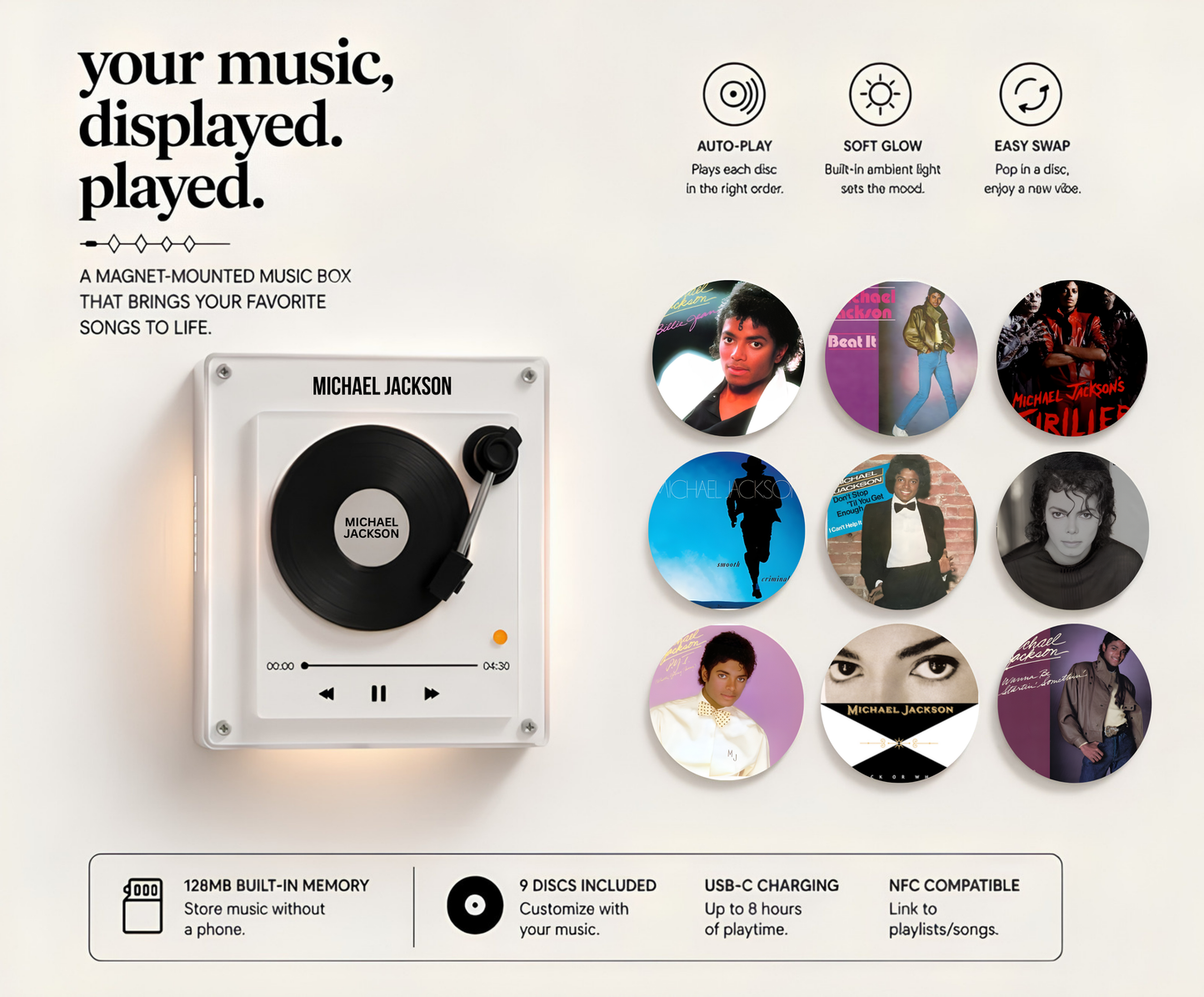
Meet the SpinMuse Music Box — a customizable magnetic music player that lets you instantly play your favorite songs with a simple snap.
Upload your own MP3 music, assign songs to magnetic discs, and enjoy a nostalgic music experience without needing Wi-Fi, Bluetooth, or apps. Simply place a disc onto the player and your chosen song begins playing instantly.
Perfect for gifts, memories, couples, bedrooms, desks, and music lovers who want a more personal way to experience sound.
✨ Features:
- Customizable magnetic song discs
- Offline music playback
- Easy drag-and-drop MP3 setup
- Rechargeable battery
- Compact modern design
- Instant song playback with magnetic discs
Turn your favorite memories into music with the SpinMuse music box.
-

I wasn’t sure if it was worth buying at first, but after trying my friend’s SpinMuse, I couldn’t stop thinking about it. Finally got one for myself and honestly love it. Dropping a disc on and hearing your song start instantly feels amazing. Setup was super simple too — only took a few minutes.” -
I’m terrible with tech, so I was worried about getting it working. Turns out it was incredibly simple. Uploaded my songs in minutes.” -
Bought it as a gift and it ended up being everyone’s favorite thing in the room. Super unique idea.


How To Set Up?
Go from opening the box to enjoying your songs in minutes.
 Connect Your SpinMuse

Use the included USB-C cable to connect your SpinMuse Music Box to your computer.
 Upload Your Favorite Songs

Open the numbered folders and drag your MP3 files into each track slot.

 Apply The NFC Stickers

Match the numbered NFC stickers to your discs for instant song recognition.
 Place & Enjoy

Simply place a disc onto SpinMuse and your music starts instantly. Remove it to stop playback.
Simple Setup. Endless Vibes.


Testimonials
What you need to know..

How long does the battery last?

How long does the battery last?
SpinMuse provides up to 8 hours of playback on a full charge and recharges quickly using the included USB-C cable.
Can I add more than 9 songs?
Can I add more than 9 songs?
Yes. Songs can be replaced and rewritten anytime, allowing you to refresh your music collection whenever you want. Additional NFC discs can also be used for larger collections.
How do I update or change a song?
How do I update or change a song?
Connect your SpinMuse Music Box to your computer using the included USB-C cable. Open the matching folder, remove the old MP3 file, and drag in a new one. Setup only takes a few seconds.
Which audio files are supported?
Which audio files are supported?
SpinMuse currently supports MP3 files only. Other formats like WAV, FLAC, or M4A may not work properly. You can easily convert files to MP3 using free online converters.
How do the NFC discs work?
How do the NFC discs work?
Each NFC disc corresponds to a numbered music folder. Simply match the numbered sticker/disc with the correct song folder and your music will play instantly when placed on the player.
Do I need Wi-Fi, Bluetooth, or an app?
Do I need Wi-Fi, Bluetooth, or an app?
No. SpinMuse works completely offline after setup. No apps, subscriptions, internet connection, or account logins are required.